月归档:四月 2007

learning ruby 6, about methods

De?ning a Method
Method names should begin with a lowercase letter.
Methods that act as queries are often named with a trailing ?,
Methods that are “dangerous,” or modify the receiver, may be named with a trailing !.
methods that can be assigned to end with an equals sign (=).

def cool_dude(arg1="Miles", arg2="Coltrane", arg3="Roach")
  "#{arg1}, #{arg2}, #{arg3}."
end

def my_other_new_method
  # Code for the method would go here
end

Variable-Length Argument Lists(*, asterisk ->Array)
def varargs(arg1, *rest)
  "Got #{arg1} and #{rest.join(', ')}"
end
varargs("one")                      "Got one and "
varargs("one", "two")    "Got one and two"
varargs "one", "two", "three"       "Got one and two, three"

Methods and Blocks
def take_block(p1)
  if block_given?
    yield(p1)
  else
    p1
  end
end
take_block("no block")                           "no block"
take_block("no block") {|s| s.sub(/no /, '') }   "block"

if the last parameter in a method de?nition is pre?xed with an ampersand(&),any associated block is converted to a Proc object, and that object is assigned to the parameter.

class TaxCalculator
  def initialize(name, &block)
    @name, @block = name, block
  end
  def get_tax(amount)
    "#@name on #{amount} = #{ @block.call(amount) }"
  end
end
tc = TaxCalculator.new("Sales tax") {|amt| amt * 0.075 }
tc.get_tax(100)       "Sales tax on 100 = 7.5"
tc.get_tax(250)       "Sales tax on 250 = 18.75"

Calling a Method

Method Return values
def meth_three
 100.times do |num|
   square = num*num
   return num, square if square > 1000
 end
end
meth_three → [32, 1024]
num, square = meth_three
num      → 32
square   → 1024

Expanding Arrays in Method Calls
def five(a, b, c, d, e)
  "I was passed #{a} #{b} #{c} #{d} #{e}"
end
five(1, 2, 3, 4, 5 )            "I was passed 1 2 3 4 5"
five(1, 2, 3, *['a', 'b'])       "I was passed 1 2 3 a b"
five(*(10..14).to_a)             "I was passed 10 11 12 13 14"

Making Blocks More Dynamic
    print "(t)imes or (p)lus: "
    times = gets
    print "number: "
    number = Integer(gets)
    if times =~ /^t/
      calc = lambda {|n| n*number }
    else
      calc = lambda {|n| n+number }
    end
    puts((1..10).collect(&calc).join(", "))
produces:
    (t)imes or (p)lus: t
    number: 2
    2, 4, 6, 8, 10, 12, 14, 16, 18, 20

Collecting Hash Arguments
class SongList
  def create_search(name, params)
    # …
  end
end

list.create_search('short jazz songs',
                   :genre              => :jazz,
                   :duration_less_than => 270)

发表在 Ruby on Rails | 留下评论

门徒,2007

门徒,2007

http://www.imdb.com/title/tt0841150/

毒庄,毒贩,吸毒者,缉毒警掺杂到一起时发生的故事。

7

门徒,2007
6年前刘德华用同样的眼神宣传香港新警匪片时代开始

门徒,2007
美丽的罂粟花

发表在 电影评论 | 2 条评论

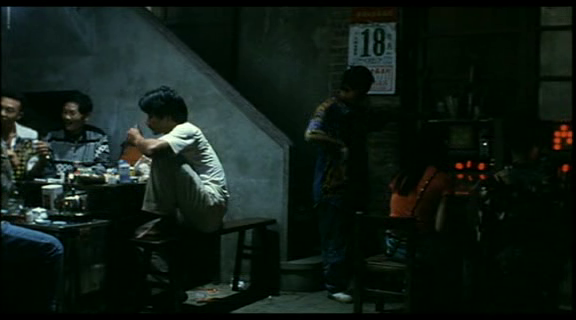
南国再见,南国,1996

南国再见,南国,1996
http://www.imdb.com/title/tt0117151/
小高、扁头、小麻花、还有来去不定的瑛姐在南台湾的故事。
原来台湾也有不错的电影,台湾电影人中原来有一个叫
侯孝贤。

8

南国再见,南国,1996
好大的日历

南国再见,南国,1996
扁头 ,伊能静, 大哥,还有南台湾

发表在 电影评论 | 留下评论

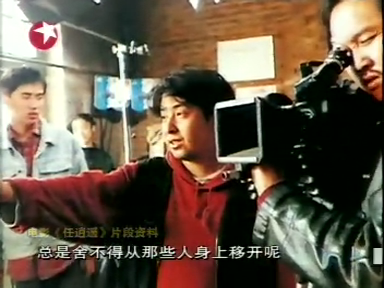
贾樟柯--追求并坚持自己梦想的人

记贾樟柯讲座录音

贾樟柯--追求并坚持自己梦想的人

追寻梦想
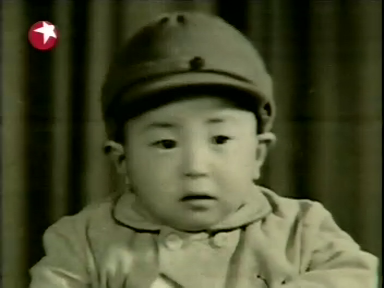
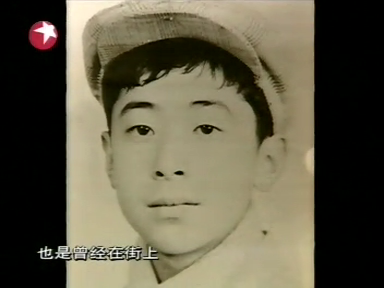
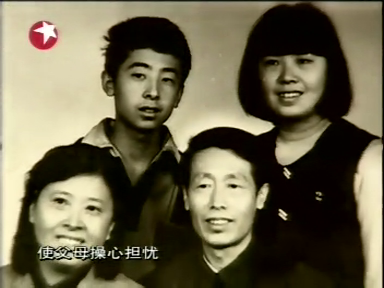
贾樟柯1970年出生在山西省汾阳一个小县城里。
贾樟柯--追求并坚持自己梦想的人

贾樟柯高中时是学画画,但相比他也许更喜欢写小说。因为在他感觉画画能表达的只是瞬间,而他却有很强的时间观,他想要表述流动的生活。画面上瞬间的定格之所以能让某人感触,除了那画面,而且还因为那个有过去,有将来的看画的人。

贾樟柯说一天他走在熟悉的小城的路上,向家里送煤的路上,突然听到巨大的声响,抬头一看是一直升飞机从头上飞过,看着这飞机他愣住了,因为这是小城到目前为止发生的最意外的事。 这个画面给他的印象很深。之所以会给他留下这么深的印象,不是因为那画面怎样壮观,而是因为这个小城和在这里生活了这么多年的贾樟柯。
贾樟柯--追求并坚持自己梦想的人
偶然的机会贾樟柯看到了张艺谋的<黄土地>,这让他发现了新大陆,让他明白这就是我想要的!电影!他要考电影学院。

靠近梦想
贾樟柯想报摄影,因为这个要考画画,而画画是他的本行,我想或也因为“摄影“从名词上说是和流动的时间+画画最接近的职业,而且他又想到张艺谋也是摄影出身,但因为身高限制不能报考,之后想报导演,但同学说这个竞争太大,所以他报了文学系,他的想法很单纯,如果不能得到,就算退而求而次,他要接近电影!
贾樟柯--追求并坚持自己梦想的人
找遍小城,贾樟柯只找到两本和电影勉强相关的辅导书,开始学习,这时他20岁,在这个小城里这是个可以有孩子的年纪了, 但贾樟柯一心想要上电影学院。考了三年,1993年23岁的他终于考上了北京电影学院文学系。

窥探世间的人
一张照片,他可以想出一个世界。

坚持梦想
电影学院有图书馆,这里的书小城是看不到的, 而且可以经常看电影,也有同学可以讨论,这是贾樟柯对大学里老师之外的资源的乐观看法。看来他没有浪费他的大学时光。
在看了很多电影之后,贾樟柯失望了,他没能在银幕上找到“黄土地”,没能看了那片他曾经在那割麦过的田野,电影上更多的镜头是两个时髦女郎在谈论上星期的巴黎之行。。。
同样在银幕下也有让贾樟柯意外的事。他发现一些和他同乡的朋友在北京不但不谈论自己的小城,而且还避开那个地方。。。
贾樟柯却对那个小城和小城上的人,小城上的事情有独钟。他认为那是真正的生活,平凡,平淡,却真实。 他认为中国还是个农业社会,更多的人还是农民,城市中的人很多也是从农村中来的。 而农村,这个主要的中国生活在电影上却很少见。

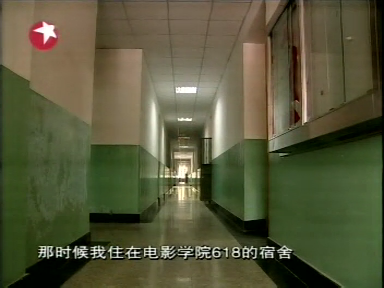
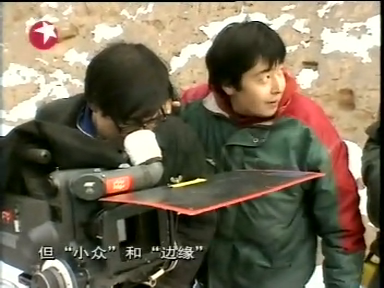
贾樟柯在大学期间(1995年)受<独立电影制作>启发,和同学组成了 北京电影学院青年实验电影小组, 并找钱(应该不超过5万)拍了一部电影<小山回家>,讲述一个农民工回家前找结伴同乡的过程。器材大多是借的,职员大多是同学。
贾樟柯--追求并坚持自己梦想的人
在宿舍的“首映“遭遇冷场,贾樟柯曾经心灰意冷,但后来到北大放映后,贾樟柯看着北大同学对自己影片热烈评论,又感觉自己做对了一件事。后来贾樟柯也说这部不成熟的电影让他熟悉了电影制作。

贾樟柯--追求并坚持自己梦想的人
其实<小山回家>带给贾樟柯的远不止这些--后来一个在报社工作的学姐把<小山回家>登到了一份报纸上,而这报纸引来了一香港电视台的采访,而这次采访的主持人一句话让贾樟柯知道了香港的一个短片展,之后才有了<小山回家>的参展香港,这才使贾樟柯结实了香港一位制片人,于是就有了1997年的<小武>--这是贾樟柯的第一部意义上的电影,作为<故乡三部曲>之一,这部作为描写山西汾阳小城的电影正是贾樟柯梦想的起飞点。。。

发表在 成败几何, 电影评论 | 留下评论

XHTML Quick Reference

Basic XHTML Rules

    * 使用小写标签:
      <p class="introduction">Paragraph text</p>
    *使用双引号:
      <a href="calendar.php">
    *外部链接使用http://开头:
      <a href="http://www.cnn.com/";>Latest news.</a>
    * <br />,<img />等标签关闭前加一空格。:

      <img src="funnyface.jpg" alt="Me making a funny face." />
    * 标签要关闭:
      <h1>Welcome to English 106</h1>
    * 标签嵌套要顺序进行:

发表在 站长文档 | 留下评论

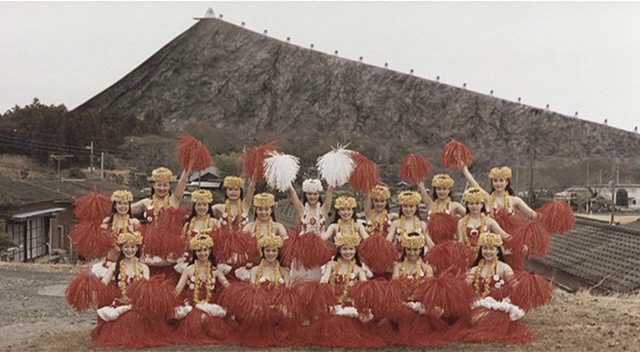
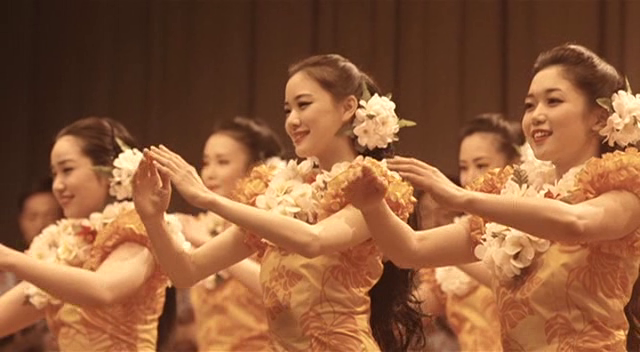
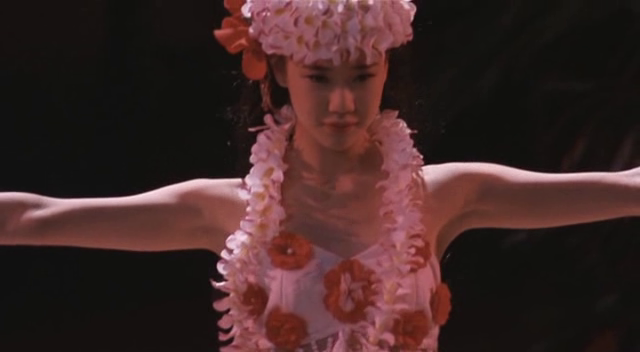
扶桑花女孩,2006

扶桑花女孩,2006
http://www.imdb.com/title/tt0768116/
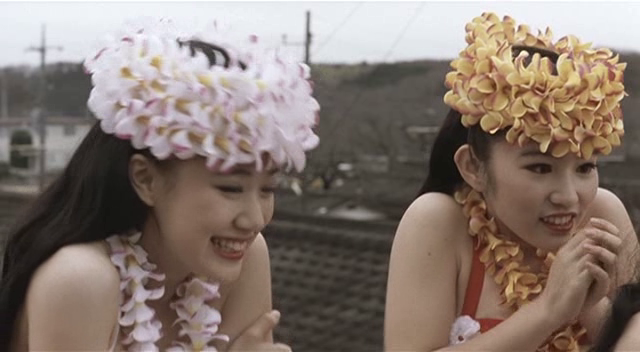
日本电影擅长描述情感。亲情,友情,师生情,加上坚定信念和美丽的舞蹈,成全了这部很感人的电影。

7

扶桑花女孩,2006

扶桑花女孩,2006

扶桑花女孩,2006

扶桑花女孩,2006

扶桑花女孩,2006

发表在 电影评论 | 留下评论

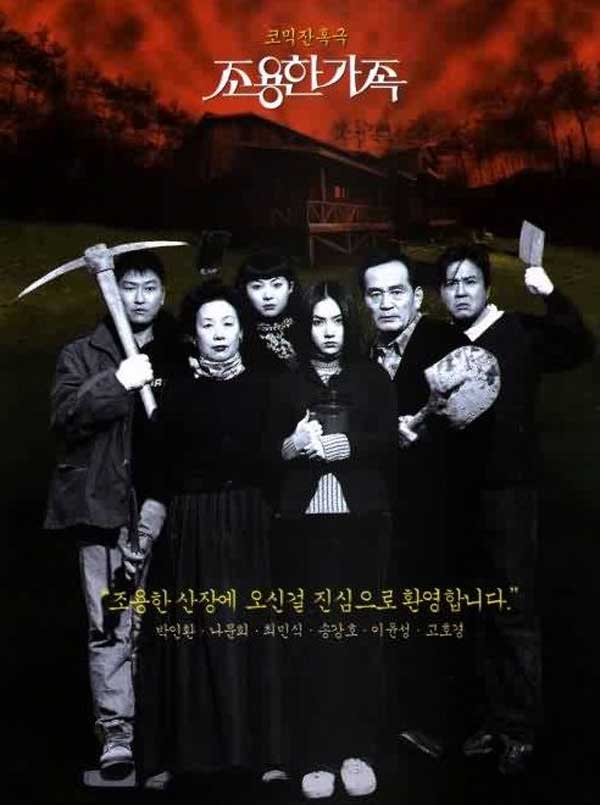
死不张扬的离奇命案,1998

死不张扬的离奇命案,1998

http://www.imdb.com/title/tt0188503/
韩国好喜欢在一个小环境里做文章。
可惜没给那些死去的人一个交代,有点冤。

5

死不张扬的离奇命案,1998
好奇的女儿

发表在 电影评论 | 留下评论

Learning Ruby 4, Regular Expressions

Regular expressions are objects of type Regexp.

create
a = Regexp.new(‘^\s*[a-z]‘)   /^\s*[a-z]/
b = /^\s*[a-z]/               /^\s*[a-z]/
c = %r{^\s*[a-z]}             /^\s*[a-z]/
options:
/i         case insensitive
/o         only interpolate #{} blocks once
/m         multiline mode – ‘.’ will match newline
/x         extended mode – whitespace is ignored
/[neus]    encoding: none, EUC, UTF-8, SJIS, respectively
e.g. b = /^\s*[a-z]/i

match operators
 =~ (positive match)
 !~ (negative match)

name = "Fats Waller"
name =~ /a/   →1
name =~ /z/   → nil
/a/ =~ name   →1

return the character position at which the match occurred.
$& receives the part of the string that was matched by the pattern
$` receives the part of the string thatpreceded the match,
$’ receives the string after the match.
The match also sets the thread-global variables $~ and $1 through $9.
$~ is a MatchData object

To illustrate how matching works, define a method:
def show_regexp(a, re)
  if a =~ re
    "#{$`}<<#{$&}>>#{$’}"
  else
    "no match"
  end
end
show_regexp(‘very interesting’, /t/)   very in<<t>>eresting
show_regexp(‘Fats Waller’, /a/)        F<<a>>ts Waller
show_regexp(‘Fats Waller’, /ll/)       Fats Wa<<ll>>er
show_regexp(‘Fats Waller’, /z/)        no match

Patterns
all characters except ., |, (, ), [, ], {, }, +, \, ^, $, *, and ? match themselves.
use ‘\’ to match these characters.
regular expression may contain #{…} expression substitutions.

Anchors

By default, a regular expression will try to ?nd the ?rst match for the pattern in a string.

The patterns ^ and $ match the beginning and end of a line
\A matches the beginning of a string,
\z and \Z match the end of a string. (Actually, \Z matches the end of a string unless the string ends with a
, it which case it matches just before the
.)

show_regexp("this is\n the time", /^the/)     this is\n<<the>> time
show_regexp("this is\n the time", /is$/)      this <<is>>\n the time
show_regexp("this is\n the time", /\Athis/)   <<this>> is \n the time
show_regexp("this is\n the time", /\Athe/)    no match

\b and \B match word boundaries and nonword boundaries
Word characters are letters, numbers, and underscores.
show_regexp("this is\n the time", /\bis/)   this <<is>>\n the time
show_regexp("this is\n the time", /\Bis/)   th<<is>> is\n the time

Character Classes
[aeiou] will match a vowel
[,.:;!?] matches punctuation

show_regexp(‘Price $12.’, /[aeiou]/)            Pr<<i>>ce $12.
show_regexp(‘Price $12.’, /[\s]/)               Price<< >>$12.
show_regexp(‘Price $12.’, /[[:digit:]]/)        Price $<<1>>2.
show_regexp(‘Price $12.’, /[[:space:]]/)        Price<< >>$12.
show_regexp(‘Price $12.’, /[[:punct:]aeiou]/)   Pr<<i>>ce $12.

           POSIX Character Classes
            Alphanumeric[:alnum:]
            Uppercase or lowercase letter[:alpha:]
            Blank and tab[:blank:]
            Control characters (at least 0×00–0x1f, 0x7f)[:cntrl:]
            Digit[:digit:]
            Printable character excluding space[:graph:]
            Lowercase letter[:lower:]
            Any printable character (including space)[:print:]
            Printable character excluding space and alphanumeric[:punct:]
            Whitespace (same as \s)[:space:]
            Uppercase letter[:upper:]
            Hex digit (0–9, a–f, A–F)[:xdigit:]

sequence c1 -c2 represents all the characters between c1 and c2
a = ‘see [Design Patterns-page 123]‘
show_regexp(a, /[A-F]/)            see [<<D>>esign Patterns-page 123]
show_regexp(a, /[A-Fa-f]/)   s<<e>>e [Design Patterns-page 123]
show_regexp(a, /[0-9]/)      see [Design Patterns-page <<1>>23]                       
show_regexp(a, /[0-9][0-9]/)    see [Design Patterns-page <<12>>3]

If you want to include the literal characters ] and – within a character class, they must appear at the start.
Put a ^ immediately after the opening bracket to negate a character class
a = ‘see [Design Patterns-page 123]‘
show_regexp(a, /[]]/)        → see [Design Patterns-page 123<<]>>
show_regexp(a, /[-]/)        → see [Design Patterns<<->>page 123]
show_regexp(a, /[^a-z]/)     → see<< >>[Design Patterns-page 123]
show_regexp(a, /[^a-z\s]/)   → see <<[>>Design Patterns-page 123]

                      Table 5.1. Character class abbreviations
Sequence As [ . . . ]        Meaning
         [0-9]               Digit character   \d
         [^0-9]              Any character except a digit   \D
         [\s\t\r\n\f]        Whitespace character   \s
         [^\s\t\r\n\f]       Any character except whitespace   \S
         [A-Za-z0-9_]        Word character   \w
         [^A-Za-z0-9_]       Any character except a word character   \W

show_regexp(‘It costs $12.’, /\s/)   It<< >>costs $12.
show_regexp(‘It costs $12.’, /\d/)   It costs $<<1>>2.

a period ( . ) appearing outside brackets represents any character except a newline
a = ‘It costs $12.’
show_regexp(a, /c.s/)   It <<cos>>ts $12.
show_regexp(a, /./)     <<I>>t costs $12.
show_regexp(a, /\./)    It costs $12<<.>>

Repetition * ? {m,n}
       matches zero or more occurrences of r.   r*
       matches one or more occurrences of r.    r+
       matches zero or one occurrence of r.     r?
       matches at least “m” and at most “n” occurrences of r.   r{m,n}
       matches at least “m” occurrences of r.    r{m,}
       matches exactly “m” occurrences of r.     r{m}
       matches zero or more occurrences of previous regular expression(non greedy) *?
       matches one or more occurrences of previous regular expression(non greedy) +?

a = "The moon is made of cheese"
show_regexp(a, /\w+/)             <<The>> moon is made of cheese  
show_regexp(a, /\s.*\s/)           The<< moon is made of >>cheese
show_regexp(a, /\s.*?\s/)          The<< moon >>is made of cheese
show_regexp(a, /[aeiou]{2,99}/)    The m<<oo>>n is made of cheese
show_regexp(a, /mo?o/)             The <<moo>>n is made of cheese

Alternation |
a = "red ball blue sky"
show_regexp(a, /d|e/)                  r<<e>>d ball blue sky
show_regexp(a, /al|lu/)                red b<<al>>l blue sky
show_regexp(a, /red ball|angry sky/)   <<red ball>> blue sky

Grouping ()
Everything within the group is treated as a single regular expression.

show_regexp(‘banana’, /an*/)         b<<an>>ana
show_regexp(‘banana’, /(an)*/)       <<>>banana
show_regexp(‘banana’, /(an)+/)       b<<anan>>a
a = ‘red ball blue sky’
show_regexp(a, /blue|red/)             <<red>> ball blue sky
show_regexp(a, /(blue|red) \w+/)       <<red ball>> blue sky
show_regexp(a, /(red|blue) \w+/)       <<red ball>> blue sky
show_regexp(a, /red|blue \w+/)         <<red>> ball blue sky
show_regexp(a, /red (ball|angry) sky/)       no match
a = ‘the red angry sky’
show_regexp(a, /red (ball|angry) sky/)       the <<red angry sky>>

within the pattern, the sequence \1 refers to the match of the ?rst group, \2 the second group, and so on. Outside the pattern, the special variables $1, $2, and so on, serve the same purpose.
"12:50am" =~ /(\d\d):(\d\d)(..)/     0
"Hour is #$1, minute #$2"            "Hour is 12, minute 50"
"12:50am" =~ /((\d\d):(\d\d))(..)/   0
"Time is #$1"                        "Time is 12:50"
"Hour is #$2, minute #$3"            "Hour is 12, minute 50"
"AM/PM is #$4"                       "AM/PM is am"

look for various forms of repetition.
# match duplicated letter
show_regexp(‘He said "Hello"’, /(\w)\1/)   He said "He<<ll>>o"
# match duplicated substrings
show_regexp(‘Mississippi’, /(\w+)\1/)      M<<ississ>>ippi

match delimiters
show_regexp(‘He said "Hello"’, /(["']).*?\1/)   He said <<"Hello">>
show_regexp("He said ‘Hello’", /(["']).*?\1/)   He said <<’Hello’>>

Pattern-Based Substitution
String#sub performs one replacement
String#gsub replaces every occurrence of the match

a = "the quick brown fox"
a.sub(/[aeiou]/, ‘*’)      "th* quick brown fox"
a.gsub(/[aeiou]/, ‘*’)     "th* q**ck br*wn f*x"
a.sub(/\s\S+/, ”)         "the brown fox"
a.gsub(/\s\S+/, ”)        "the"

block
a = "the quick brown fox"
a.sub(/^./) {|match| match.upcase }         "The quick brown fox"
a.gsub(/[aeiou]/) {|vowel| vowel.upcase }   "thE qUIck brOwn fOx"

def mixed_case(name)
  name.gsub(/\b\w/) {|first| first.upcase }
end
mixed_case("fats waller")               "Fats Waller"
mixed_case("louis armstrong")           "Louis Armstrong"
mixed_case("strength in numbers")       "Strength In Numbers"

Backslash Sequences in the Substitution
"fred:smith".sub(/(\w+):(\w+)/, ‘\2, \1′)   "smith, fred"
"nercpyitno".gsub(/(.)(.)/, ‘\2\1′)         "encryption"
\& (last match),
\+ (lastmatched group),
\` (string prior to match),
\’ (string after match),
\\ (a literal backslash)

str = ‘a\b\c’                "a\b\c"
str.gsub(/\\/, ‘\\\\\\\\’)   "a\\b\\c"

or
str = ‘a\b\c’            "a\b\c"
str.gsub(/\\/, ‘\&\&’)   "a\\b\\c"

or
str = ‘a\b\c’               "a\b\c"
str.gsub(/\\/) { ‘\\\\’ }   "a\\b\\c"

example:
n modi?er(japanese)
    def unescapeHTML(string)
      str = string.dup
      str.gsub!(/&(.*?);/n) {
         match = $1.dup
         case match
         when /\Aamp\z/ni           then ‘&’
         when /\Aquot\z/ni          then ‘"’
         when /\Agt\z/ni            then ‘>’
         when /\Alt\z/ni            then ‘<’
         when /\A#(\d+)\z/n         then Integer($1).chr
         when /\A#x([0-9a-f]+)\z/ni then $1.hex.chr
         end
      }
      str
    end
    puts unescapeHTML("1&lt;2 &amp;&amp; 4&gt;3")
    puts unescapeHTML("&quot;A&quot; = &#65; = &#x41;")
produces:
    1<2 && 4>3
    "A" = A = A

Object-Oriented Regular Expressions
re = /(\d+):(\d+)/     # match a time hh:mm
md = re.match("Time: 12:34am")
                        → MatchData
md.class
md[0]         # == $&   → "12:34"
md[1]         # == $1   → "12"
md[2]         # == $2   → "34"
md.pre_match # == $`    → "Time: "
md.post_match # == $’   → "am"

re = /(\d+):(\d+)/     # match a time hh:mm
md1 = re.match("Time: 12:34am")
md2 = re.match("Time: 10:30pm")
md1[1, 2]   → ["12", "34"]
md2[1, 2]   → ["10", "30"]

re = /(\d+):(\d+)/
md1 = re.match("Time: 12:34am")
md2 = re.match("Time: 10:30pm")
[ $1, $2 ]   # last successful match       ["10", "30"]
$~ = md1
[ $1, $2 ]   # previous successful match   ["12", "34"]


Regex Characters List
:
.          any character except newline
[ ]        any single character of set
[^ ]       any single character NOT of set
*          0 or more previous regular expression
*?         0 or more previous regular expression(non greedy)
+          1 or more previous regular expression
+?         1 or more previous regular expression(non greedy)
?          0 or 1 previous regular expression
|          alternation
( )        grouping regular expressions
^          beginning of a line or string
$          end of a line or string
{m,n}      at least m but most n previous regular expression
{m,n}?     at least m but most n previous regular expression(non greedy)
\A         beginning of a string
\b         backspace(0×08)(inside[]only)
\b         word boundary(outside[]only)
\B         non-word boundary
\d         digit, same as[0-9]
\D         non-digit
\S         non-whitespace character
\s         whitespace character[ \t\n\r\f]
\W         non-word character
\w         word character[0-9A-Za-z_]
\z         end of a string
\Z         end of a string, or before newline at the end
(?# )      comment
(?: )      grouping without backreferences
(?= )      zero-width positive look-ahead assertion
(?! )      zero-width negative look-ahead assertion
(?ix-ix)   turns on/off i/x options, localized in group if any.
(?ix-ix: ) turns on/off i/x options, localized in non-capturing group.

Special Character Classes:
[:alnum:]   alpha-numeric characters
[:alpha:]   alphabetic characters
[:blank:]   whitespace – does not include tabs, carriage returns, etc
[:cntrl:]   control characters
[:digit:]   decimal digits
[:graph:]   graph characters
[:lower:]   lower case characters
[:print:]   printable characters
[:punct:]   punctuation characters
[:space:]   whitespace, including tabs, carriage returns, etc
[:upper:]   upper case characters
[:xdigit:]  hexadecimal digits
发表在 Ruby on Rails | 留下评论

Learning Ruby 4, Number, String and Range

Numbers
Fixnum Bignum
123456                  => 123456   # Fixnum
0d123456                => 123456   # Fixnum
123_456                 => 123456   # Fixnum – underscore ignored
-543                    => -543     # Fixnum – negative number
0xaabb                  => 43707    # Fixnum – hexadecimal
0377                    => 255      # Fixnum – octal
-0b10_1010              => -42      # Fixnum – binary (negated)
123_456_789_123_456_789 => 123456789123456789 # Bignum

?a       => 97  # ASCII character
?
      => 10  # code for a newline (0x0a)
?\C-a    => 1   # control a = ?A & 0x9f = 0×01
?\M-a    => 225 # meta sets bit 7
?\M-\C-a => 129 # meta and control a
?\C-?    => 127 # delete character

iterators
    3.times        { print "X "}
    1.upto(5)      {|i| print i, " " }
    99.downto(95)  {|i| print i, " " }
    50.step(80, 5) {|i| print i, " " }
produces:
    X X X 1 2 3 4 5 99 98 97 96 95 50 55 60 65 70 75 80

Strings
Double-quoted & single-quoted strings
'escape using "\\"'   escape using "\"
                    →
'That\'s right'       That's right
                    →
"Seconds/day: #{24*60*60}"      Seconds/day: 86400
                              →
"#{'Ho! '*3}Merry Christmas!"   Ho! Ho! Ho! Merry Christmas!
                              →
"This is line #$."              This is line 3
                              →
#{ expr }. If the code is just a global variable, a class variable, or an instance variable,you can omit the braces.
    puts  "now is #{ def the(a)
                        'the ' + a
                      end
                      the('time')
                    } for all good coders…"
produces:
    now is the time for all good coders…

to construct string literals
%q/general single-quoted string/   general single-quoted string
                                 →
%Q!general double-quoted string!   general double-quoted string
                                 →
%Q{Seconds/day: #{24*60*60}}       Seconds/day: 86400
                                 →
string = <<END_OF_STRING
    The body of the string
    is the input lines up to
    one ending with the same
    text that followed the '<<'
END_OF_STRING

delimiter
 If it is an opening bracket “[”, brace “{”, parenthesis “(”, or less-than sign “<”, the string is read until the matching close symbol is found. Otherwise the string is read until the next occurrence of the same
1.8 delimiter. The delimiter can be any nonalphanumeric or nonmultibyte character.

mins, secs = length.split(/:/)
mins, secs = length.scan(/\d+/)

class WordIndex
  def initialize
    @index = {}
  end
  def add_to_index(obj, *phrases)
    phrases.each do |phrase|
      phrase.scan(/\w[-\w']+/) do |word|   # extract each word
        word.downcase!
        @index[word] = [] if @index[word].nil?
        @index[word].push(obj)
      end
    end
  end
  def lookup(word)
    @index[word.downcase]
  end
end
 the exclamation mark at the end of the ?rst downcase! method is an indication that the method will modify the receiver in place

Ranges
Ranges as Sequences
The two-dot form creates an inclusive range, and the three-dot form creates a range that excludes the speci?ed high value.
1..10
'a'..'z'
my_array = [ 1, 2, 3 ]
0…my_array.length

(1..10).to_a          [1, 2, 3, 4, 5, 6, 7, 8, 9, 10]
                    →
('bar'..'bat').to_a   ["bar", "bas", "bat"]
                    →

digits = 0..9
digits.include?(5)                   true
                                   →
digits.min                           0
                                   →
digits.max                           9
                                   →
digits.reject {|i| i < 5 }           [5, 6, 7, 8, 9]
                                   →
digits.each {|digit| dial(digit) }   0..9


spaceship operator
<=> compares two values, returning −1, 0, or +1 depending on whether the ?rst is less than, equal to, or greater than the second.

class VU
  include Comparable
  attr :volume
  def initialize(volume)  # 0..9
    @volume = volume
  end
  def inspect
    '#' * @volume
  end
  # Support for ranges
  def <=>(other)
    self.volume <=> other.volume
  end
  def succ
    raise(IndexError, "Volume too big") if @volume >= 9
    VU.new(@volume.succ)
  end
end

medium_volume = VU.new(4)..VU.new(7)
medium_volume.to_a                    [####, #####, ######, #######]
                                    →
medium_volume.include?(VU.new(3))     false
                                    →

Ranges as Conditions

Ranges as Intervals
seeing if some value falls within the interval represented by the range.
(1..10)    === 5         true
                       →
(1..10)    === 15        false
                       →
(1..10)    === 3.14159   true
                       →
('a'..'j') === 'c'       true
                       →
('a'..'j') === 'z'       false

发表在 Ruby on Rails | 留下评论

深谷有藤草

深谷有藤草,漠漠无其名
风雨发新芽,霜雪坚其身
但随山石斜,不改凌云志

发表在 某时雨集 | 留下评论